 RoyaleWind
In-game settings
/interactAdmin sets the look and behaviour for the whole server; /interactsettings lets each player choose their own look.
/interactAdmin
Admins only (see Give your admins access). Changes are saved on the server and pushed to every player the moment you press Save — no restart. Each setting shows Custom once it's changed, and a reset button to put it back.
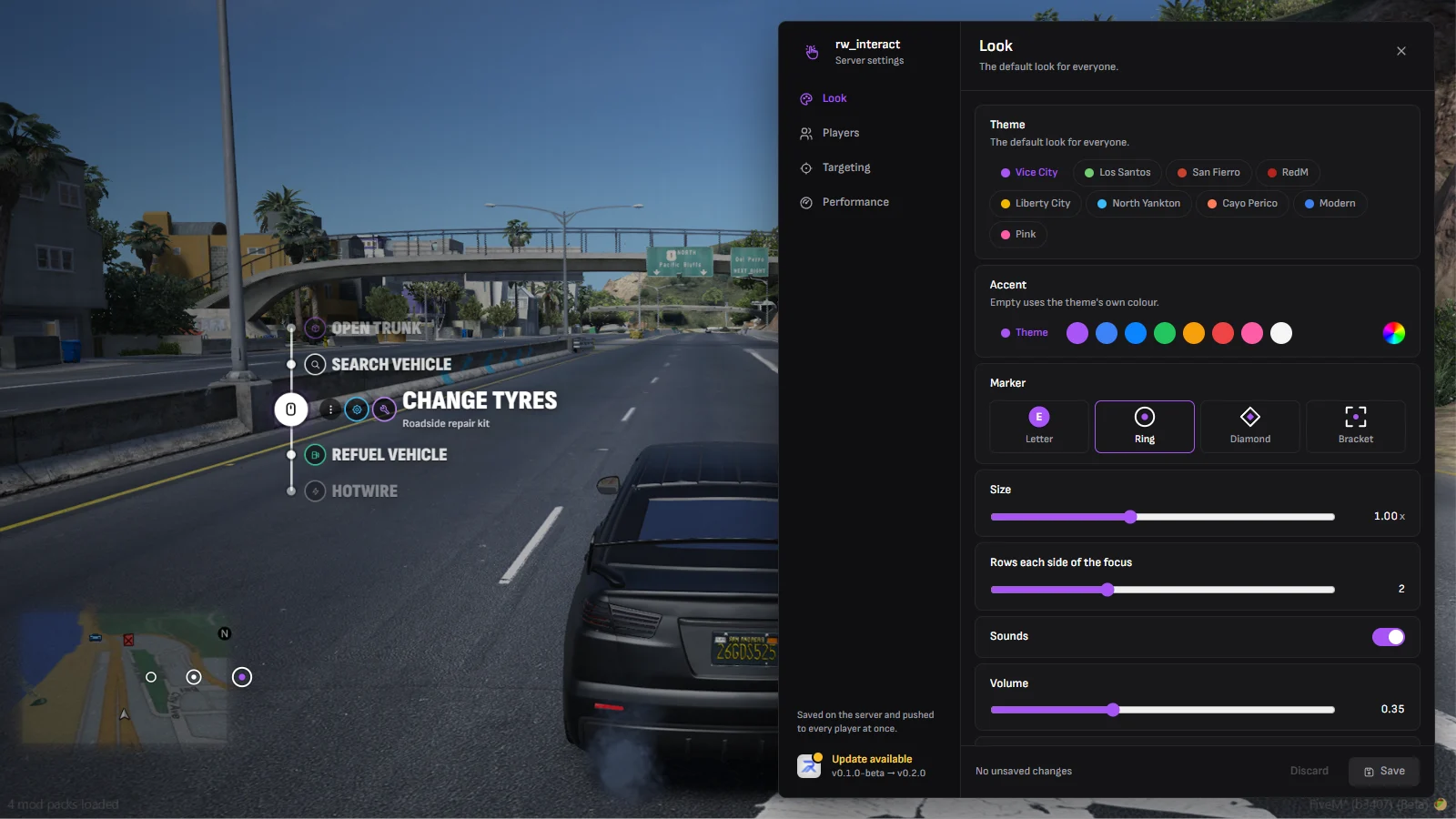
Look
The default look for everyone, previewed live on a sample menu while the panel is open.
| Setting | Default | |
|---|---|---|
| Theme | Vice City | See Themes. |
| Accent | Theme's own | Any colour, or the theme's. |
| Marker | Ring | Letter, ring, diamond or bracket. |
| Size | 1.00× | 0.6 – 1.6. |
| Rows each side of the focus | 2 | 1 – 4. |
| Sounds, Volume | On, 0.35 | Ticks when scrolling and selecting. |
| Key prompt | Off | The bound key beside the aimed-at marker. |
| 3D markers | On | Markers shrink with distance. |
Players
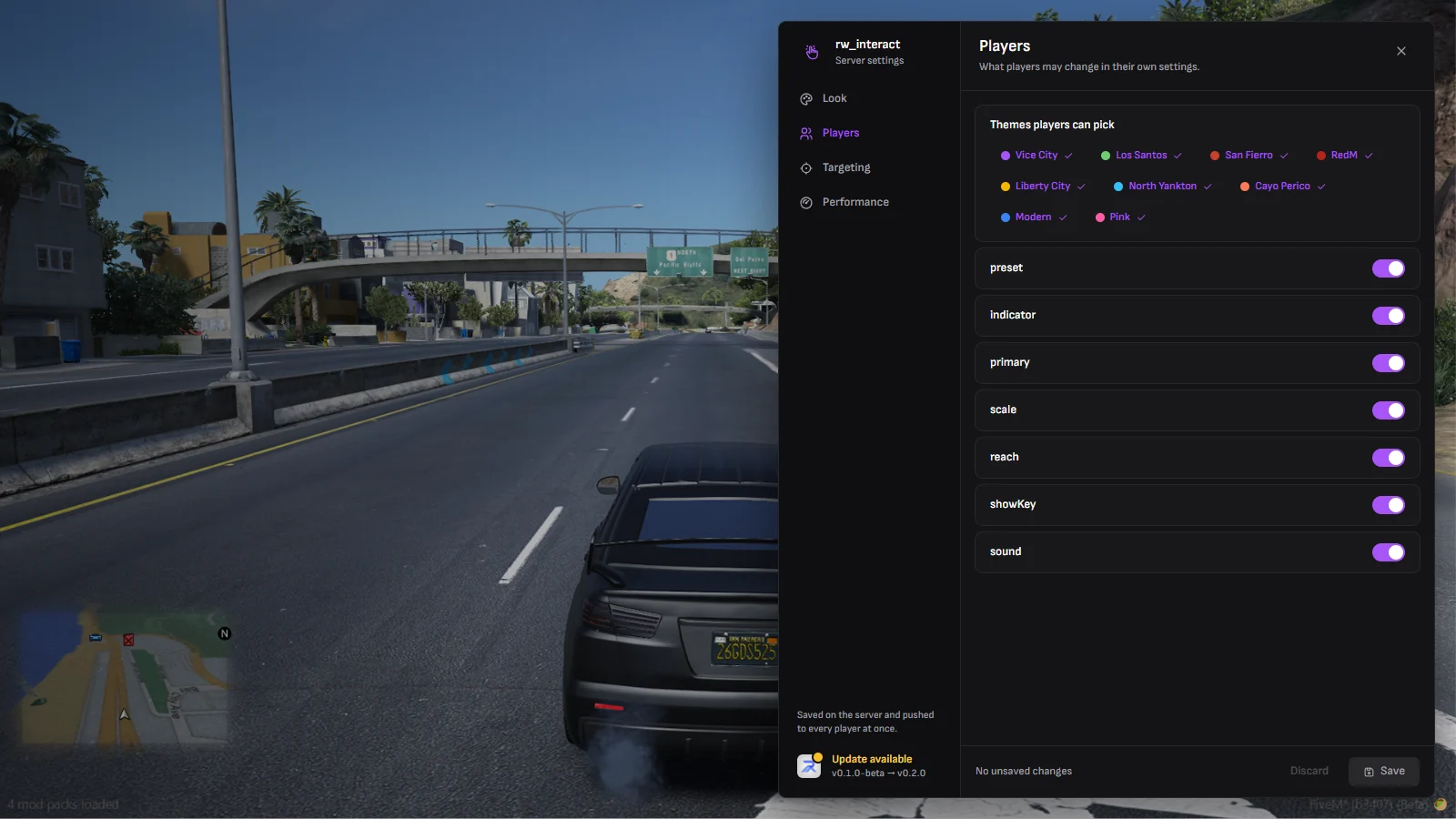
What players may change for themselves in /interactsettings.
| Setting | Default | |
|---|---|---|
| Themes players can pick | All nine | At least one. |
| Theme, Marker, Accent, Size, Rows, Key prompt, Sounds | Allowed | Turn one off and everyone gets the server's value for it; the control disappears from their panel. |
Taking a choice away applies at once, to players who had already picked something else too.
Targeting
| Setting | Default | |
|---|---|---|
| Aim cone | 12° | How far off the screen centre still counts as looking at a target. |
| Default reach | 2.0 m | For options that don't set their own distance. |
| Line of sight | On | Targets behind walls can't be picked. |
| Target from vehicles | Off | |
| Show locked options | On | Off hides options a player fails the job or item check for, as ox_target does. |
| Vehicle doors | On | The built-in door, hood and trunk options. |
| Default key | E | For players who haven't bound it yet. |
Performance
| Setting | Default | |
|---|---|---|
| Scan radius | 8 m | How far away markers appear. |
| Scan interval | 250 ms | Lower is snappier, higher is cheaper. |
| Markers on screen | 8 | Nearest first. |
| Full-size distance | 3 m | Where a marker is drawn at full size. |
| Smallest marker | 0.5× | How small far markers get. |
When an update is out, the foot of the panel says so; click it for the patch notes.
/interactsettings
Every player's own look, saved on their PC. They choose from what the admin allows under Players; anything the admin has turned off is hidden and uses the server's value.
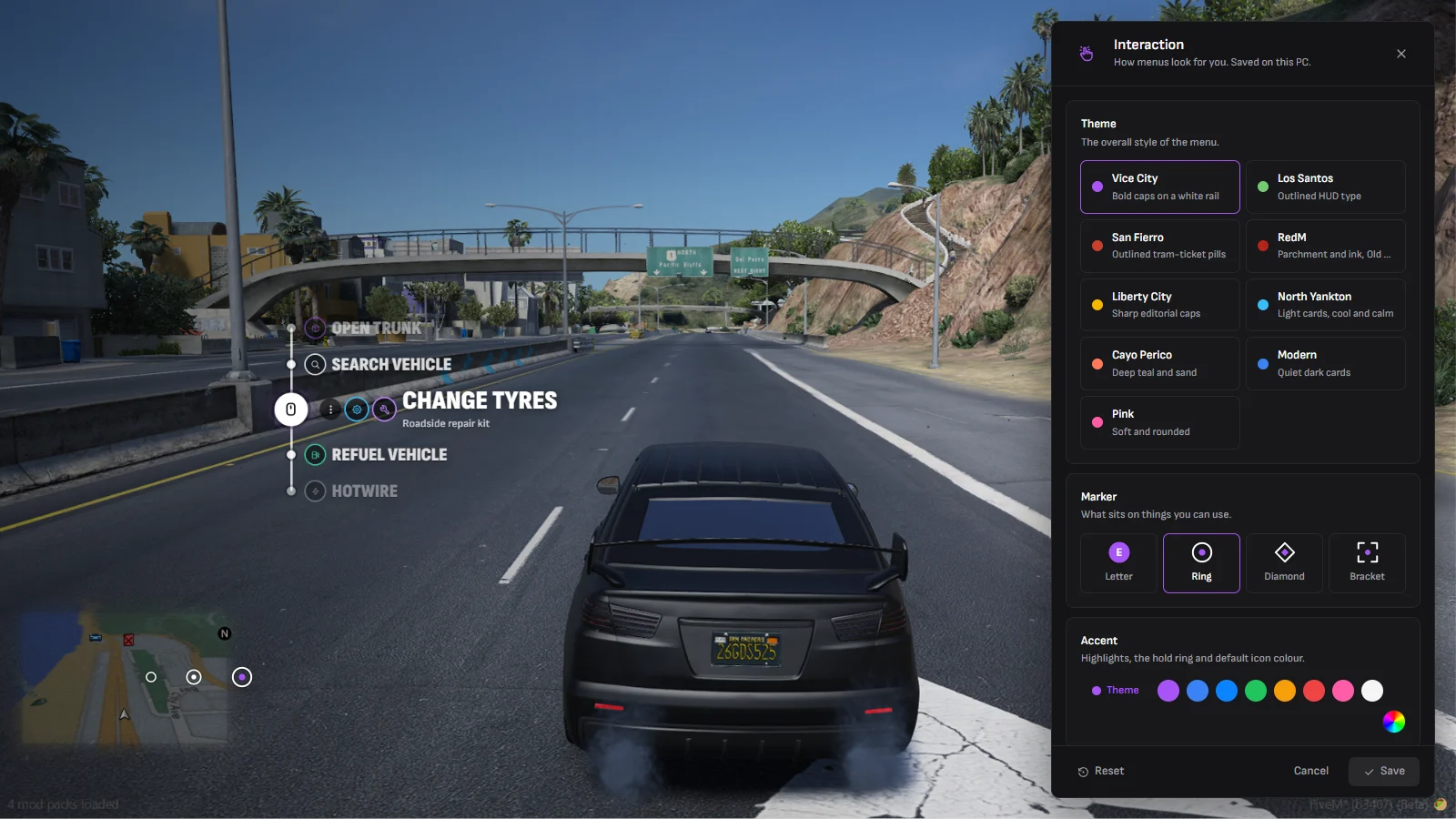
Reset goes back to the server's look.