 RoyaleWind
RW Fashion
An outfit boutique for FiveM — players browse full looks on their own character, buy them, and walk out wearing them.
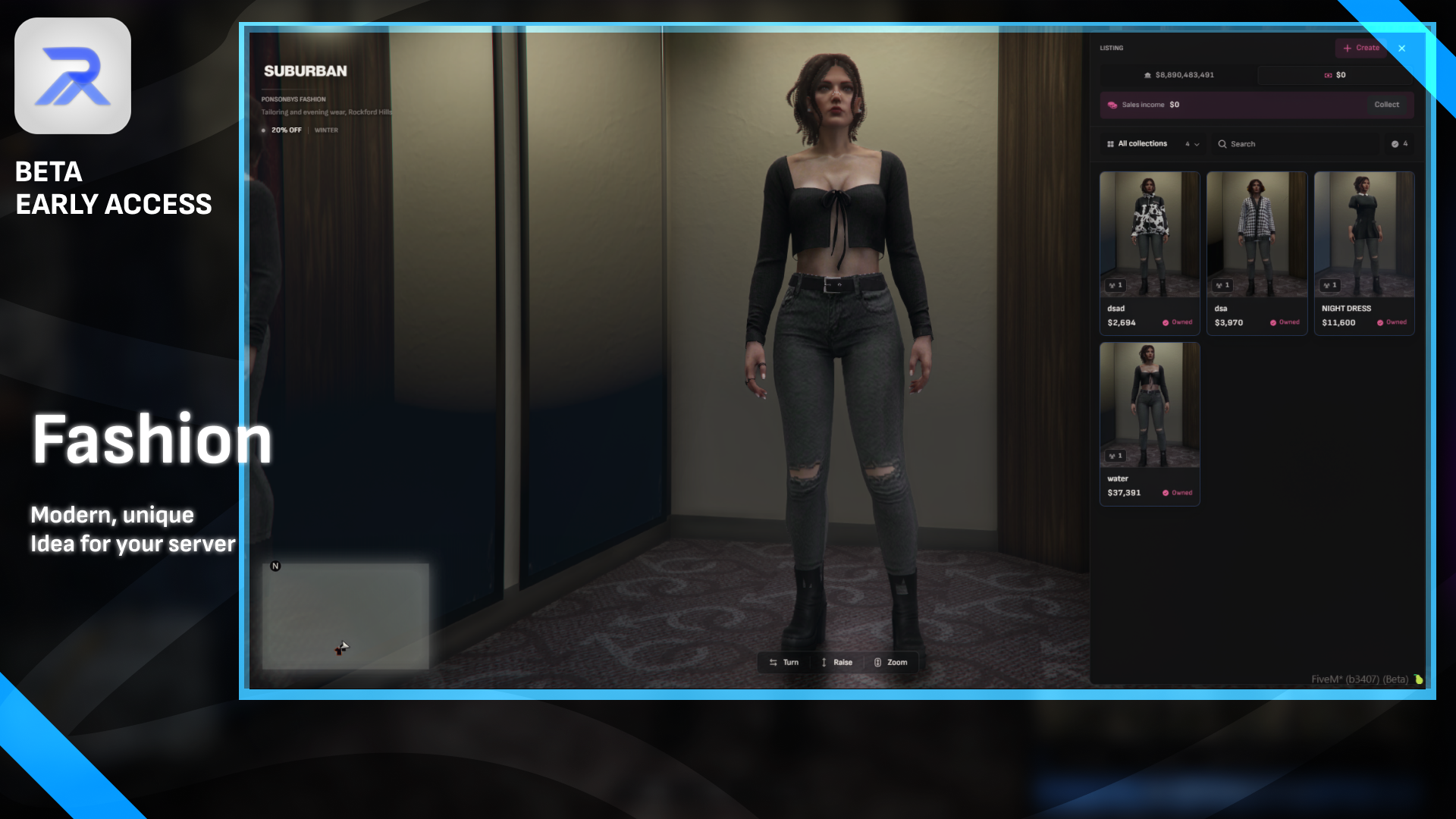
RW Fashion (The Fashion Store) is an outfit boutique for FiveM. Players walk up to a clerk, browse complete looks on their own character, buy the ones they want and walk out wearing them. Players can put their own fits on the shelf and earn from every sale, and staff run the whole shop — stock, stores, sales and every setting — from an in-game editor, live, with no restart.
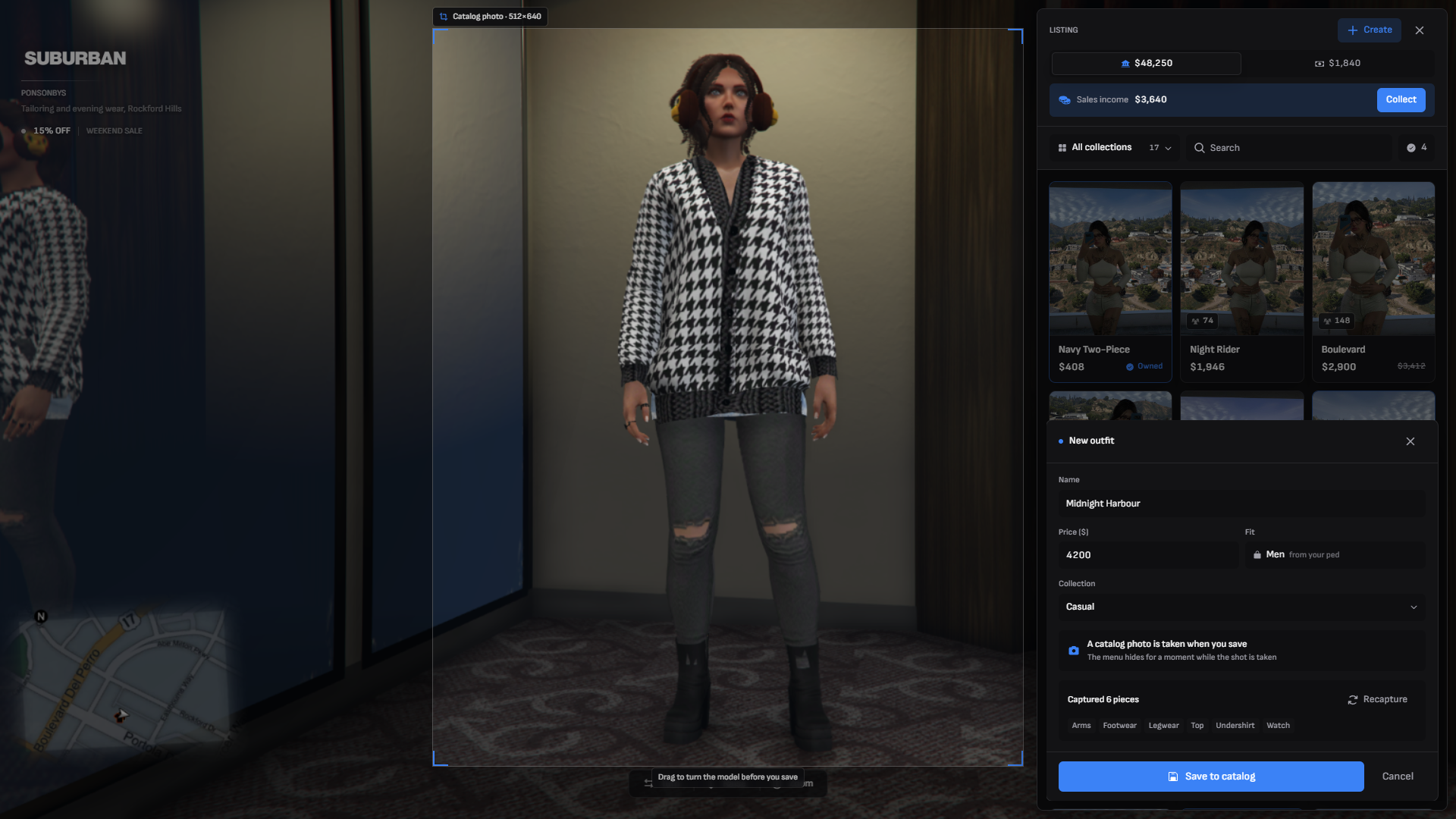
The catalog lives in the database and is built in game: get dressed, press Create, and the outfit is on the shelf, photographed and priced.
Why RW Fashion
- Outfits, not garments — every catalog entry is a whole look. There's no single-item path anywhere: players buy all of it or none of it, so your server's style stays curated.
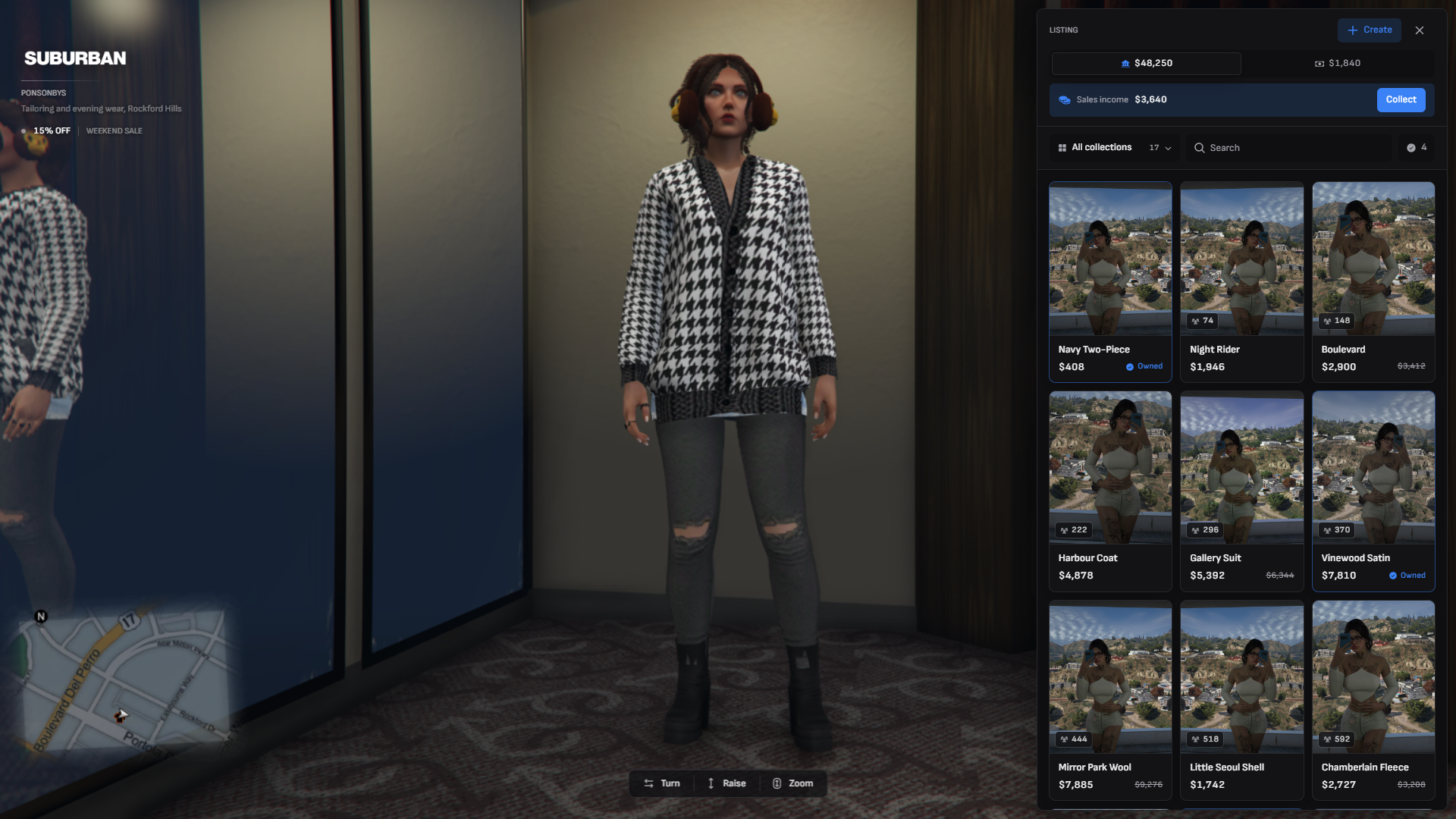
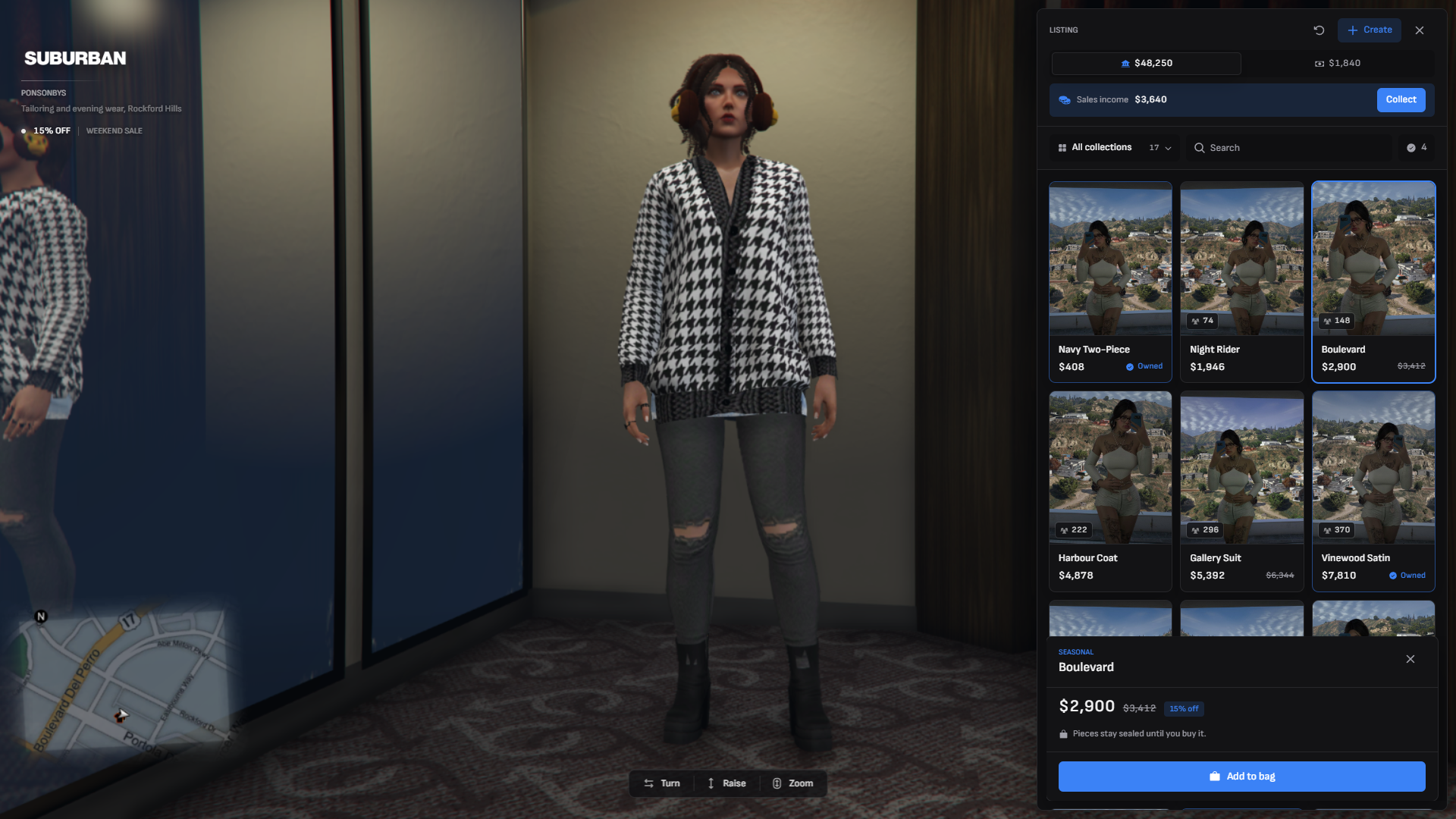
- Click to try on — the shop docks to the right edge and the camera keeps the ped in view beside it. There's no "try" button: clicking a card puts the outfit on.
- Sealed until paid for — the server never sends the contents of an outfit a player doesn't own. The page only ever gets a name, collection, price and sales count, and every try-on is re-checked against the wardrobe on the server. Nobody can rip your catalog from the UI.
- Player listings with a seller cut — players sell their own fits for a listing fee and earn a share of every sale, banked while they're offline and collected with one click in any store. Sellers can reprice or take down their own listings.
- Sales and discounts — schedule recurring sale windows by day, hour and store (Weekend Sale, 15% off), plus discounts by job or gang. Stacking and a total cap are one switch away. Every price is worked out on the server.
- Stores with price multipliers — run as many storefronts as you like, each with its own clerk, blip, logo, fitting spot, stocked collections, job lock and price multiplier, so the same outfit can cost more in a luxury boutique than in a street shop.
- In-game editor —
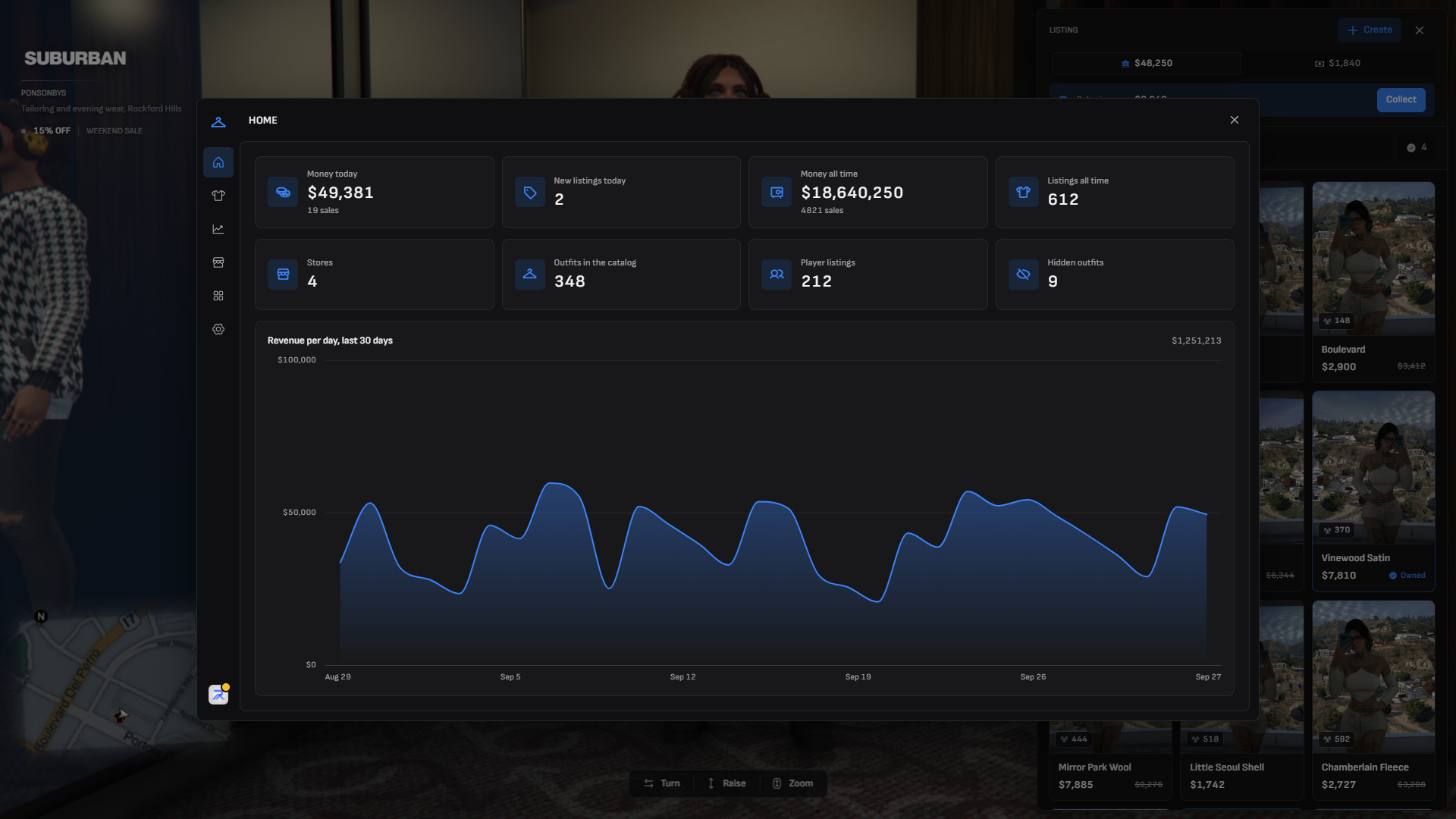
/fashionAdminhas a dashboard with today's takings and a 30-day revenue chart, a live sales feed, listing management, store placement, collections, outfit slots and a searchable page for every setting. - Automatic catalog photos — saving an outfit photographs the ped, crops it to the card and uploads it to Fivemanage. The token never leaves the server.
- Curtain transitions — walking in and out is covered by a curtain that closes, moves the player to the fitting spot and opens to a letterbox while the shop draws itself. Every step is timed from the editor.
- A camera you can handle — drag sideways to turn the ped (it coasts to a stop when you let go), drag up and down to move the shot, scroll to zoom.
- Private fitting room — shoppers are put in their own routing bucket while they browse, so nobody watches them change.
- Works with your framework — qbx_core, qb-core, ESX, ox_core and ND_Core out of the box,
ox_targetor a marker fallback, and a readable bridge for anything else. No appearance resource required.
Showcase
How it works at a glance
For players
- Walk up to a store clerk and open the shop with the target (or the marker prompt).
- The curtain closes, you're moved to the fitting spot, and the shop opens beside your ped.
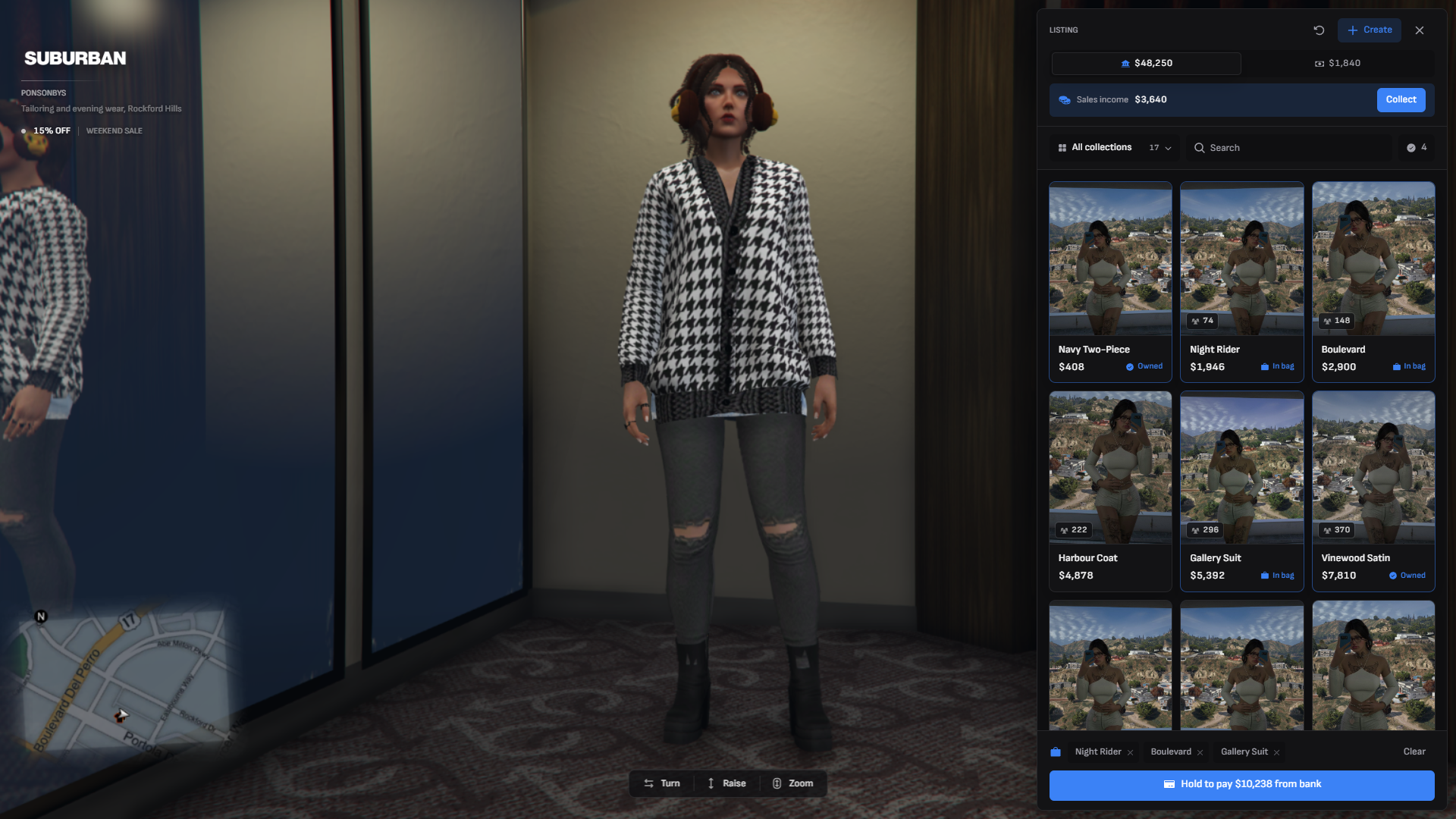
- Click outfits to try them on, turn and zoom to check them, and put the ones you like in the bag.
- Hold the pay button to buy. The server works out the price and checks everything again.
- Press Esc to leave in your own clothes — or walk out wearing something you just bought.
- Want to sell? Get dressed, press Create, name it, price it, pay the fee — and collect your cut of every sale.
For staff
- Place stores where you stand, from Stores in
/fashionAdmin. - Stock the catalog by getting dressed in a store and pressing Create — staff listings are free and uncapped, and still earn the seller share.
- Set prices, multipliers, discounts and recurring sales, and tune every setting live.
- Watch the money come in on the Home dashboard and the Sales feed.
See How it works for the full walkthrough.
The resource is escrowed. The files you can edit are config/*.lua, shared/bridge/framework/*.lua, shared/bridge/target/*.lua, hooks/client.lua, hooks/server.lua and locales/*.json — everything else is encrypted.
Next steps
Installation
Dependencies, server.cfg, permissions and photos.
How it works
Shopping, try-ons, player listings, discounts and photos.
In-game editor
Manage outfits, stores, collections and settings from /fashionAdmin.
Settings reference
Every setting, its default and its range.
Events
Client and server events.
Hooks
Gate, filter and react to purchases, listings and the store.
Exports
Client and server exports.