 RoyaleWind
RW Interact
Look at something, press E, pick from a menu that hangs off the thing itself. A drop-in replacement for ox_target, qb-target, qtarget and bt-target.
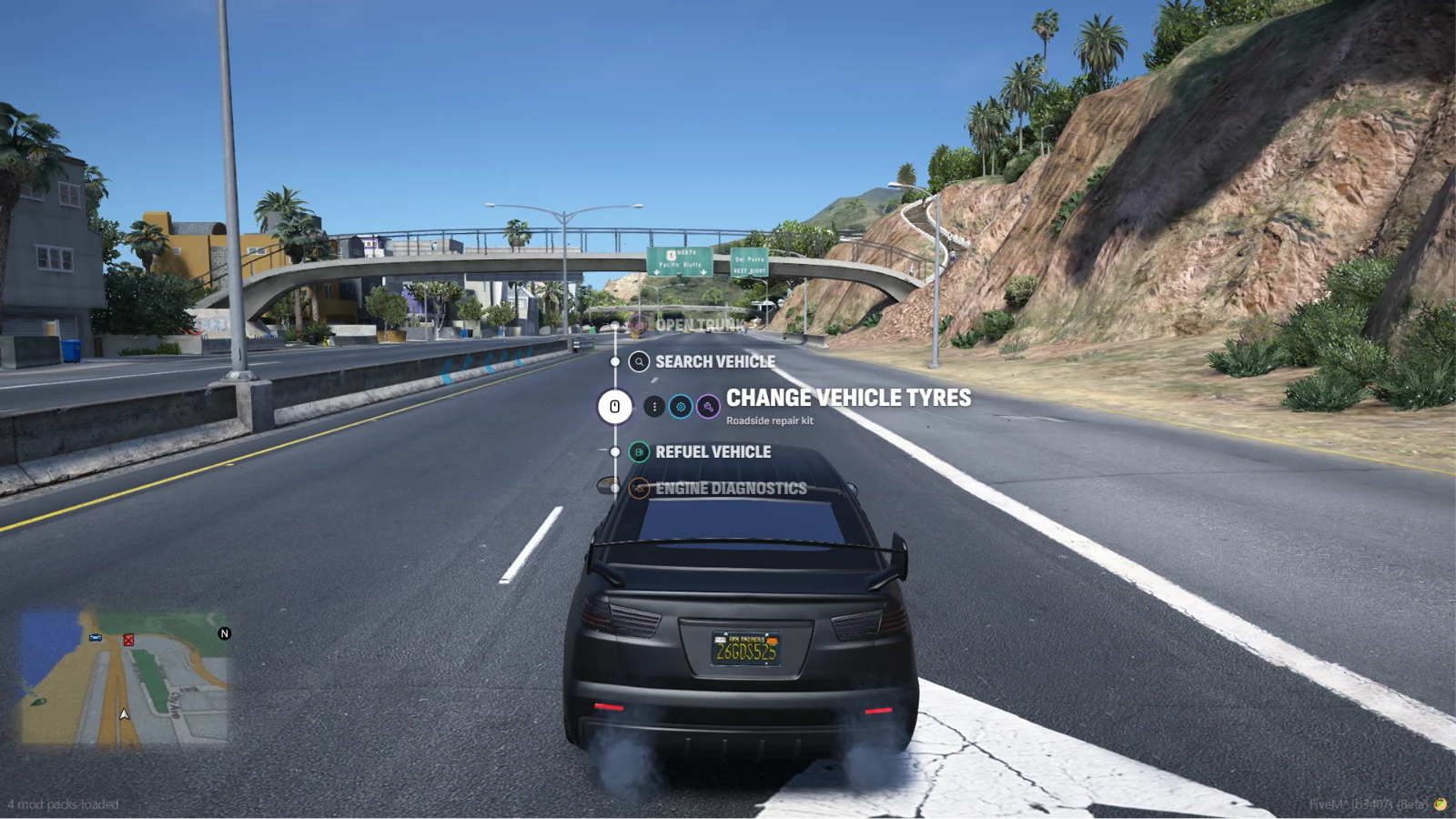
RW Interact is an interaction targeting resource for FiveM. Look at a car, a door or a clerk and a marker sits on it; press E and a menu opens right there, on a vertical rail that hangs off the thing itself. Scroll, click, done.
It answers to the same exports as ox_target, qb-target, qtarget and bt-target, so every resource you already have keeps working the day you switch.
Why RW Interact
- Aimed with the camera — of everything your ped can reach, the target nearest the centre of the screen is the one you get. Turn the camera, not the ped. Walls block it.
- Markers drawn by the game — markers are game sprites, like ox_target's, so they stay locked to the world in the same frame instead of trailing the camera. They shrink with distance, and come in four styles: letter (shows your key), ring, diamond and bracket.
- A menu worth looking at — a rail with the focused option large, a description line, extra icon badges, nested submenus with a path, and hold-to-confirm options with a filling ring.
- Nine themes — Vice City, Los Santos, San Fierro, RedM, Liberty City, North Yankton, Cayo Perico, Modern and Pink. Set one for the server, or let players pick their own.
- Shows why, not just no — options a player can't use yet can stay visible, greyed out, with the reason: Requires item: Lockpick.
- Drop-in compatible —
provides ox_target, qb-target, qtarget and bt-target. Their options, icons, events and callbacks all work unchanged, ox_target's door and trunk options included. - Every icon set — Tabler by default, FontAwesome classes from ox_target, qb-target and ox_lib, or any Iconify icon.
- Set up in game —
/interactAdminchanges the look, what players may change, targeting and performance for everyone, live./interactsettingslets each player pick their own look within that. - Cheap when idle — a scan every 250 ms finds what's near; the per-frame work only runs while something is in range.
Showcase
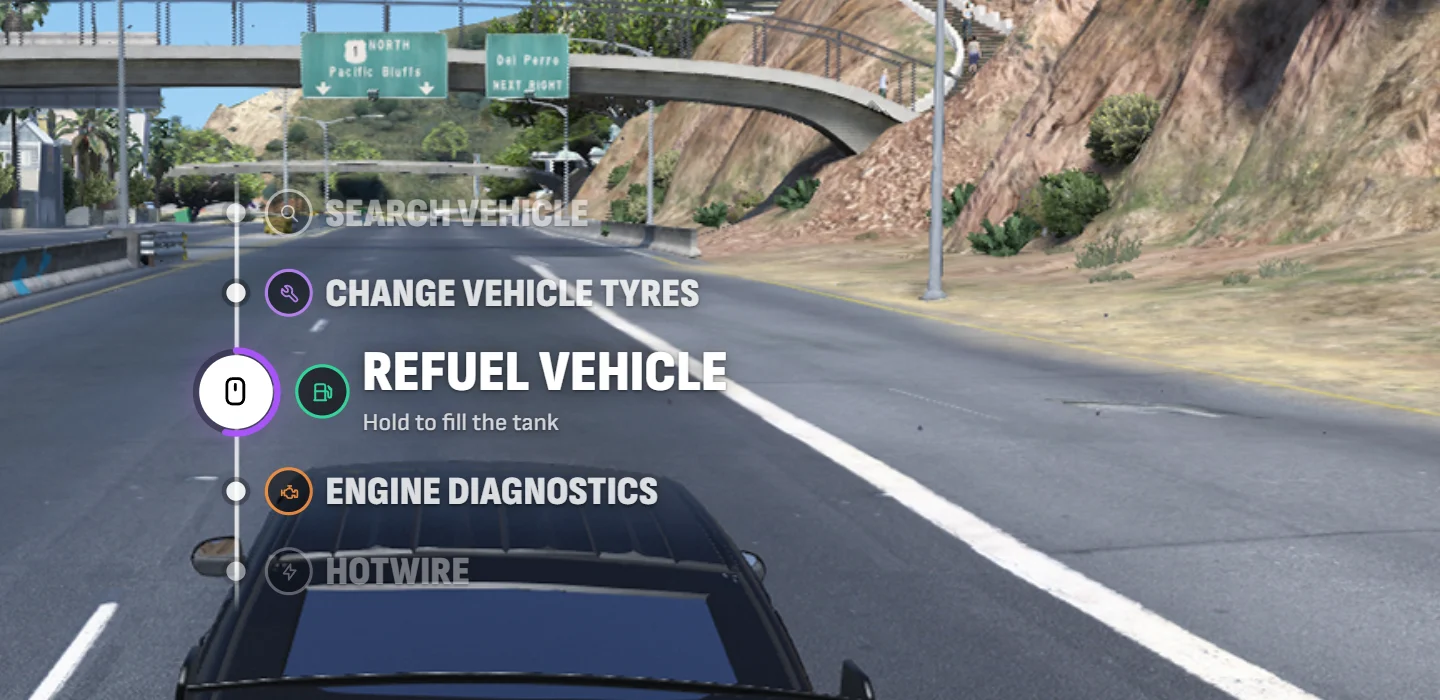
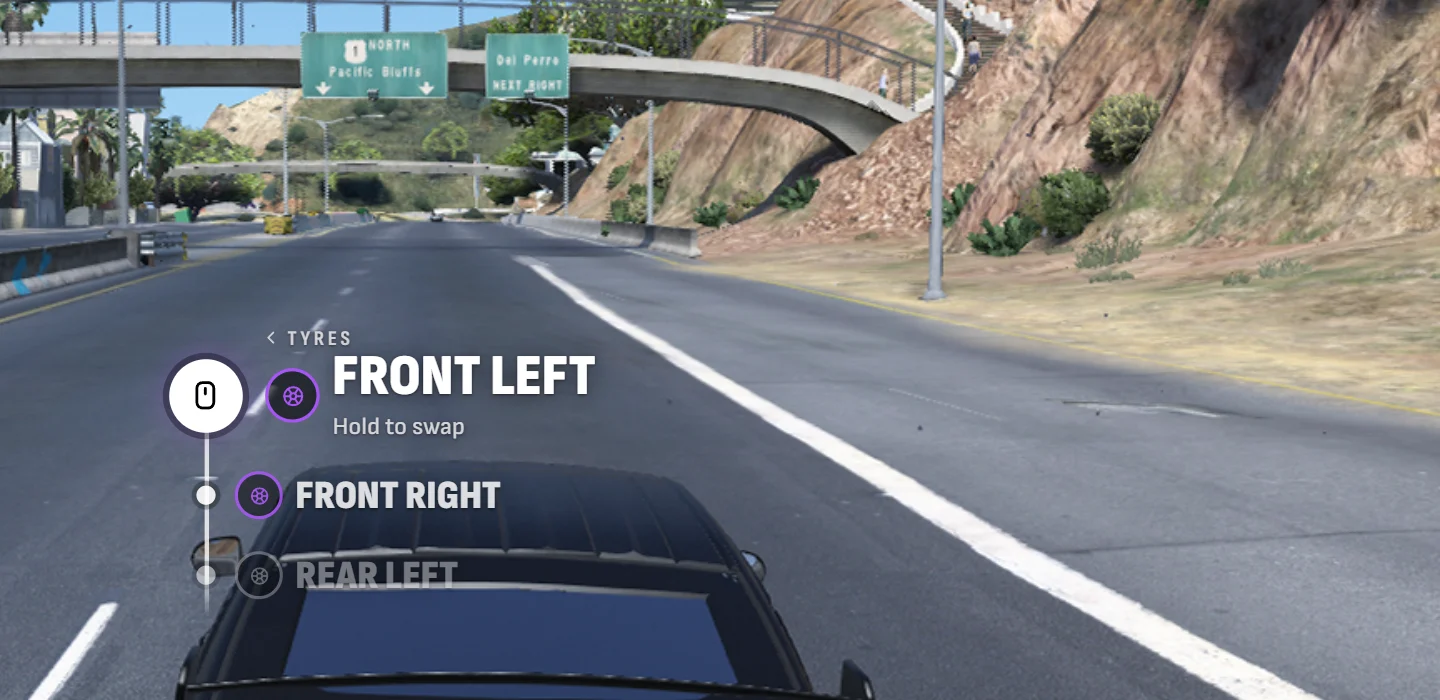
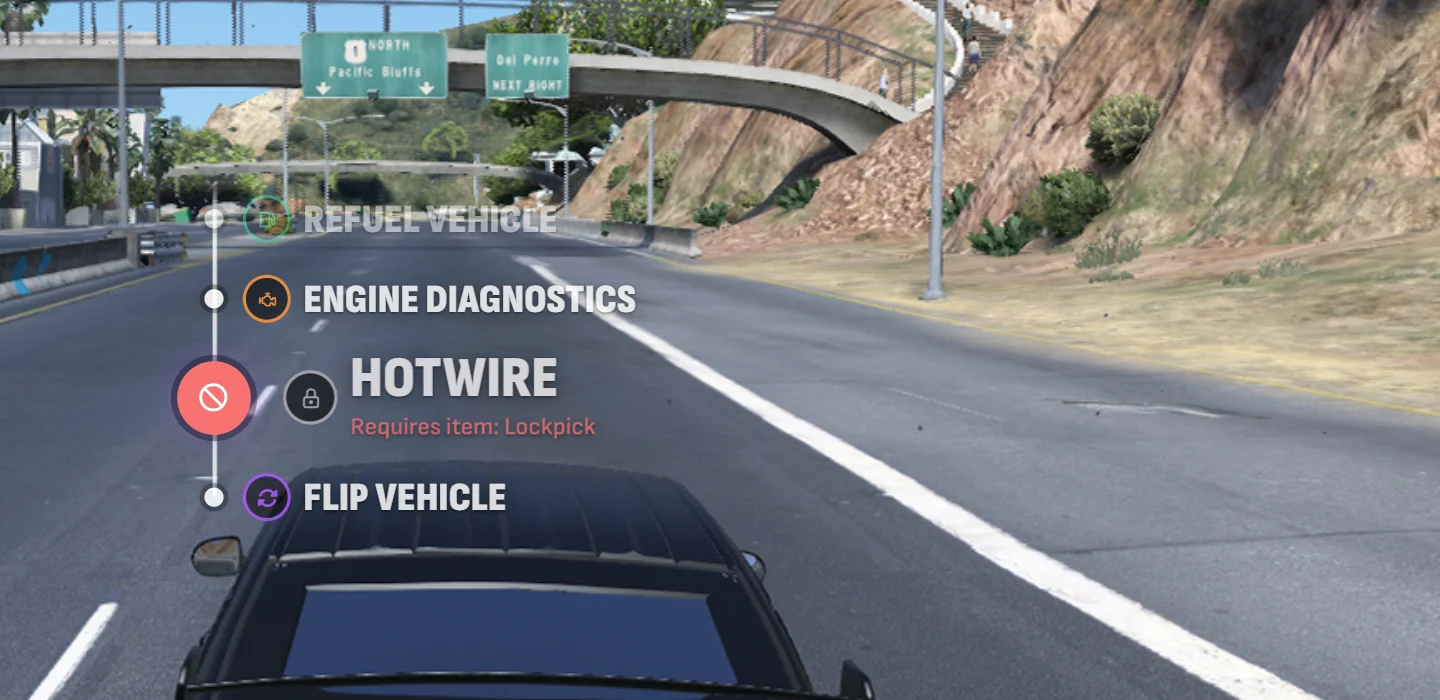
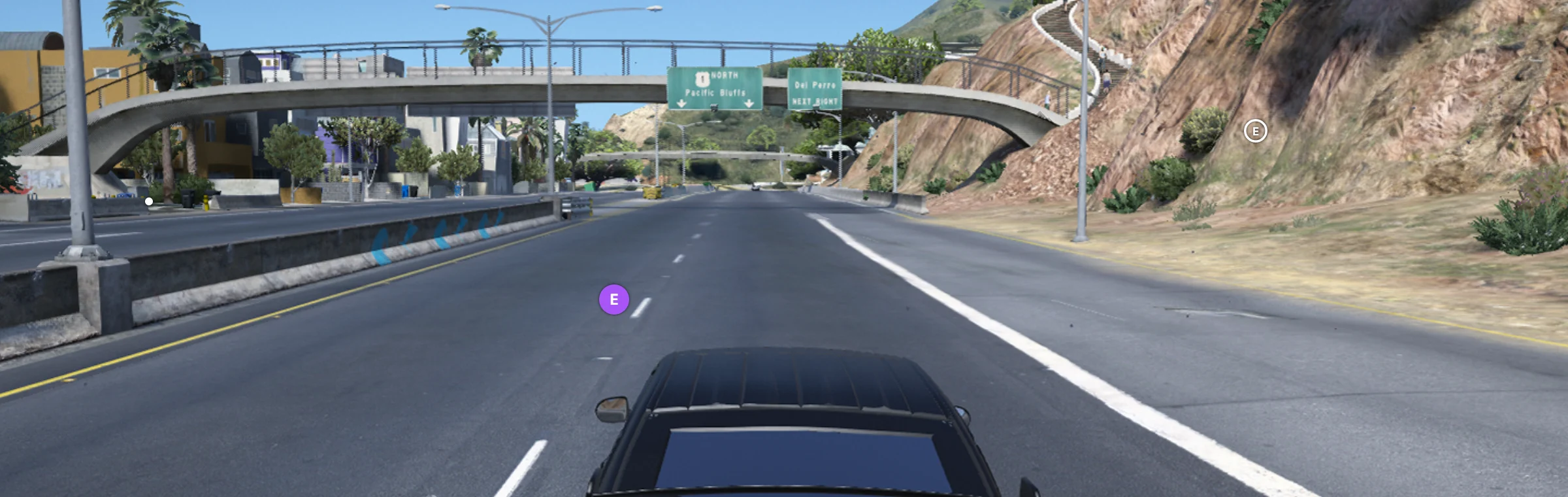
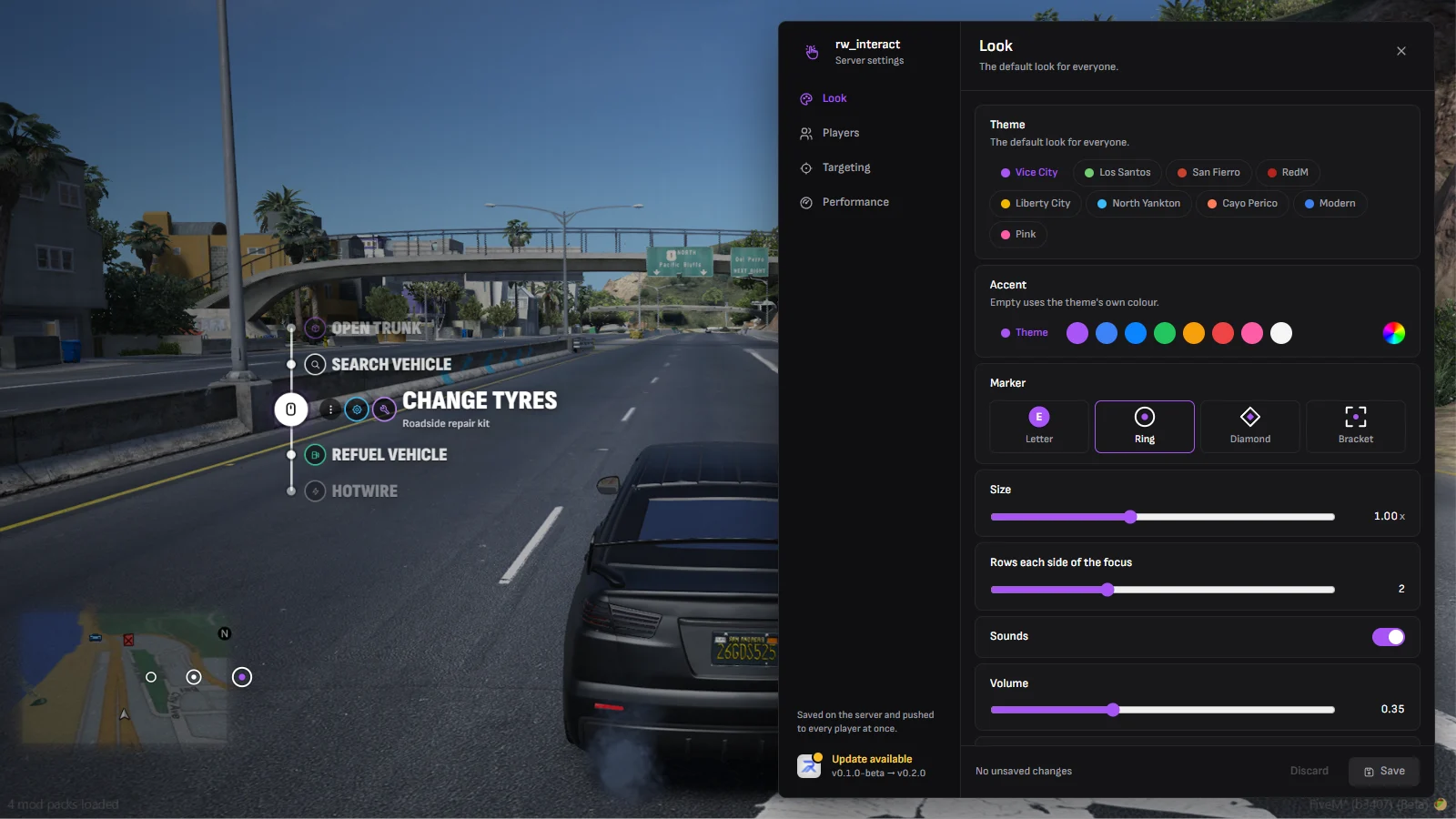
See Themes for all nine.
How it works at a glance
For players
- Walk up to something you can use; a marker sits on it.
- Look at it and press E — the menu opens on the marker.
- Scroll to an option and left click. Hold options fill a ring while you hold.
- Right click backs out of a submenu, E or Esc closes.
/interactsettingschanges how it looks for you.
For server owners
- Remove your old target resource and start RW Interact in its place.
- Pick the look and what players may change in
/interactAdmin. - Nothing else: your resources keep registering their targets as before.
The resource is escrowed. The files you can edit are config/*.lua, shared/defaults.lua, client/defaults.lua, client/bridge/framework/*.lua and locales/*.json — everything else is encrypted.
Next steps
Installation
Dependencies, server.cfg and permissions.
Themes
All nine themes and the marker styles.
In-game settings
/interactAdmin for the server, /interactsettings for players.
Options
Every field an option takes.
Compatibility
ox_target, qb-target, qtarget and bt-target.
Exports
Register zones, models, entities and globals.